Free to Download · No Account Needed

The Android remote for
qBittorrent, Transmission, and Deluge

Torrento brings qBittorrent, Transmission, and Deluge into one Android dashboard with live speeds, multi-server views, search, and bulk controls. Use it on your local network or add Torrento Connect for secure remote torrent access.

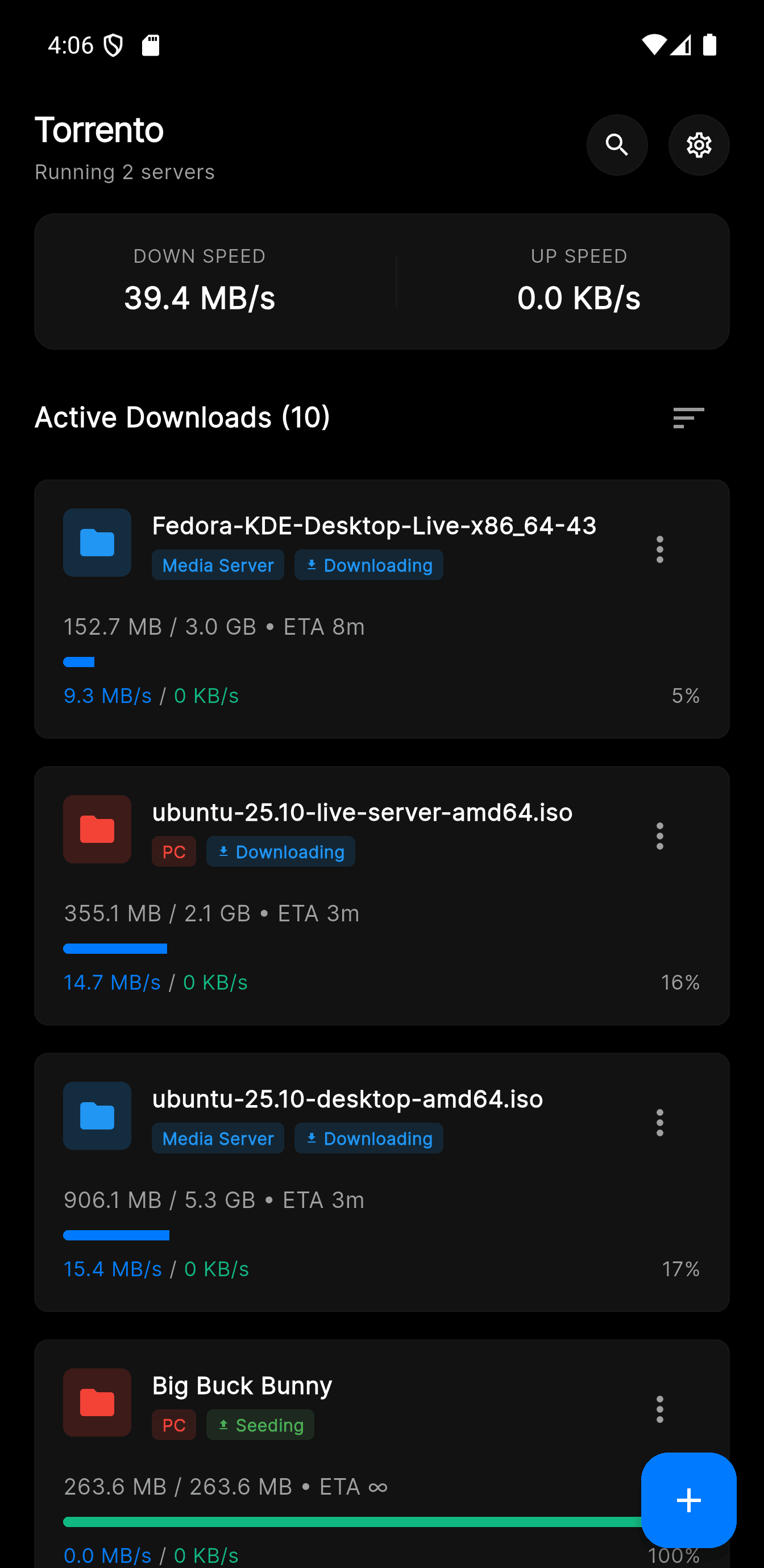
Torrento Android dashboard showing torrent progress, live speeds, and status cards
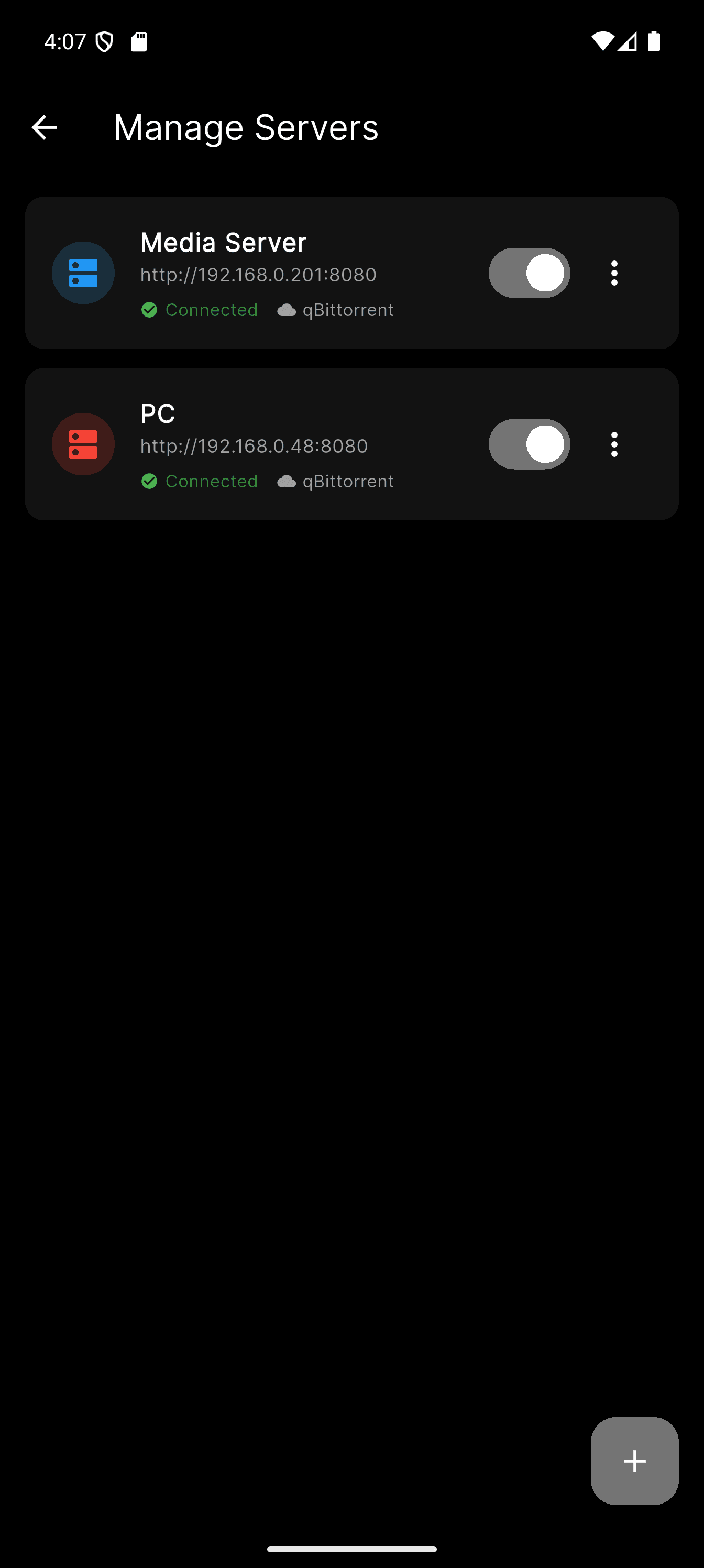
Torrento Android servers screen showing multiple saved qBittorrent, Transmission, and Deluge connections

Works with the torrent clients you already run

qBittorrent
Deluge
Transmission
More coming soon
Features

Everything you need,
nothing you don't

Android torrent control built for real home servers, seedboxes, desktops, and NAS setups.

Powerful Multi-Select

Long-press any torrent to enter selection mode. Select all or pick individual items, then pause, resume, delete with data removal, move to a new path, or assign a category — all in one tap.

⏸ Pause
▶ Resume
🗑 Delete
Arch Linux 2024.01 x86_64.iso
1.2 GB
Ubuntu Server 22.04.3 LTS.iso
2.4 GB
Debian 12.4.0 amd64 netinst.iso
628 MB
Fedora Workstation 39 DVD.iso
2.1 GB
📡
Multi-Server Control

Connect to unlimited qBittorrent, Transmission, and Deluge servers across your home lab, VPS, or NAS, each with its own color indicator and reachability state.

Real-Time Monitoring

Watch live download and upload speeds, per-torrent progress, and global transfer stats that refresh every two seconds without manual reloads.

🔍
Instant Search

Search and filter torrents in real time across all connected servers, so one download stays easy to find even in a large library.

Add Torrents Your Way

Add torrents from a magnet link, direct URL, or local.torrent file, then choose the destination server, save path, and category from one screen.

🏷
Category Management

Create, rename, delete, and assign categories across your saved servers. Keep each library organized with custom icons and clean filtering.

🎛
Per-Torrent Controls

Open any torrent card to set speed limits, toggle sequential download, move files, or delete with optional data removal.

Torrento Connect

No port forwarding. No VPN. No firewall surgery.

Install a lightweight companion near your torrent clients, pair it from the Torrento Android app, and keep browsing, adding, pausing, and resuming torrents remotely without exposing your client Web UI to the internet.

  • Remote Android access for qBittorrent, Transmission, and Deluge.
  • Runs where your torrent clients already live: Docker, NAS, Linux server, home PC, or another always-on machine.
  • Keeps client credentials on the companion while Torrento stays the app you use every day.
Premium

A clean split between free, one-time, and premium

Torrento stays free for local torrent control. Optional upgrades cover ad removal and secure remote access.

Free

Torrento Core

Everything you need for local torrent management.

  • Local torrent downloads on Android
  • Manual or direct remote access
  • Multi-server, search, categories
  • Notifications and all core features
FAQ

qBittorrent, Transmission, and Deluge FAQ

Answers about using Torrento as an Android remote for qBittorrent, Transmission, and Deluge on local networks and remote setups.

Is Torrento a torrent client or a remote control app?

Torrento is an Android remote control and management app. It connects to qBittorrent, Transmission, and Deluge instances you already run on a NAS, Linux server, Docker host, desktop, or another always-on machine.
What torrent clients does Torrento support?

Torrento supports qBittorrent, Transmission, and Deluge. You can save multiple servers and mix client types inside one Android app.

Can I control qBittorrent remotely from Android?

Yes. You can connect to qBittorrent directly on your local network, or use Torrento Connect for secure remote access without exposing the client Web UI.

What can I do from the Android app?

You can monitor live speeds and progress, search across torrents, add magnet links, direct URLs, or .torrent files, and run actions like pause, resume, delete, move, and category changes.

Do I need to open ports to use Torrento Connect?

No. Torrento Connect is designed so remote torrent access works without manual port forwarding, reverse proxies, or VPN setup.

Is Torrento free to use?

Yes. Local torrent management is free. Remove Ads is a one-time purchase, and Torrento Connect is the optional subscription for secure remote access.

Torrento

Ready to take control?

Download Torrento for Android and manage qBittorrent, Transmission, and Deluge locally or through Torrento Connect. Free to start.

Google Play Store